Every entity, organised.
Run more than one thing? Your personal, company and trust accounts sit side by side, each with its own page.
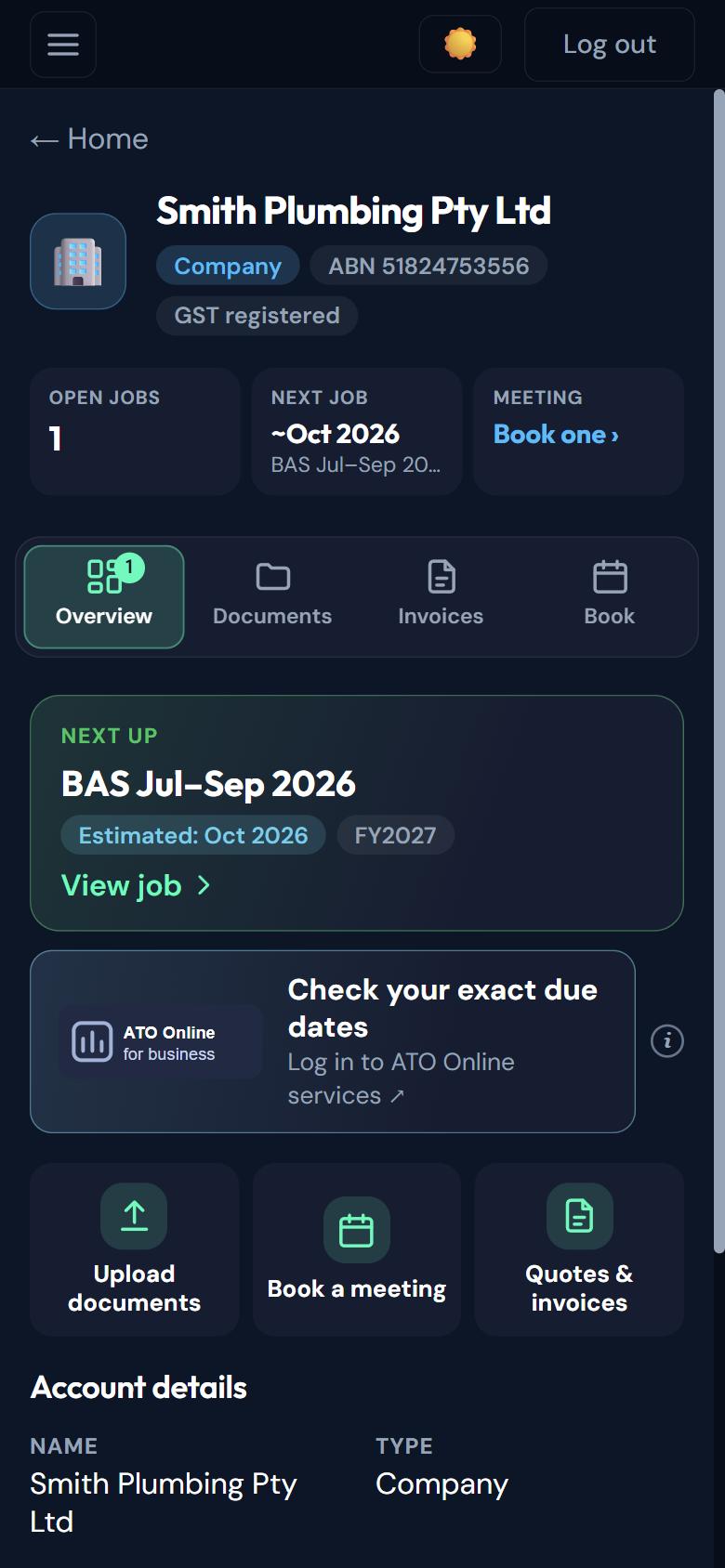
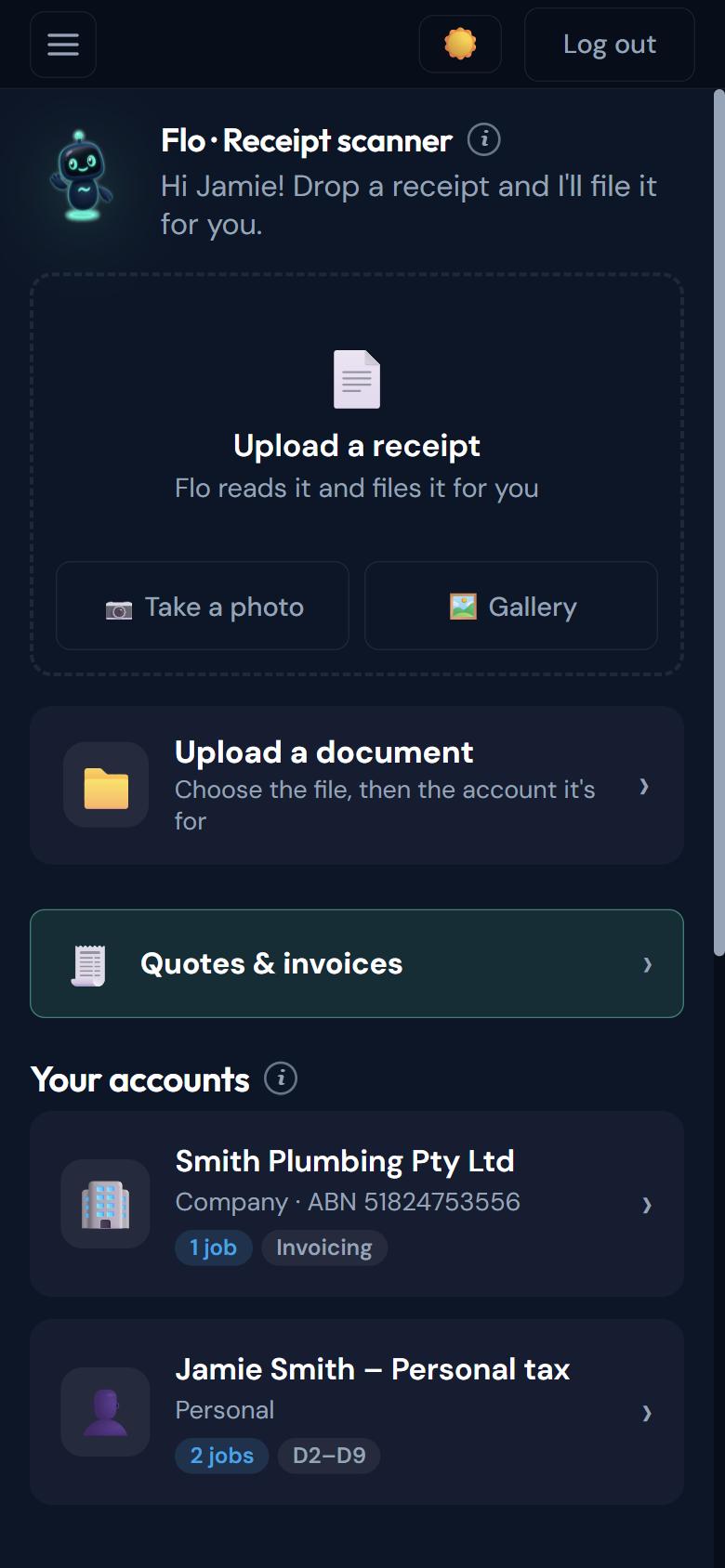
Each account, side by side.

How it works
Three steps.
- 01
Open the app
Every account you have is on your home screen.
- 02
Tap an account
See its jobs, documents and invoices on its own page.
- 03
See what’s next
A Next up card shows the next job and a month estimate.
In detail
What you get.
Side by side
Personal, company and trust accounts together on one home screen, with the receipt scanner and uploads one tap away.
Its own jobs, documents and invoices
Each account keeps its own work, so nothing gets mixed up.
Next up, with a month estimate
Each account shows what’s next and a month estimate, with a link to check exact dates on ATO Online or myGov.
Questions
Good to know.
Can I manage my company and personal tax together?
Can my partner have their own account?
Where do I see exact due dates?
Your tax and your business, under control.
Always know what's happening. Stay organised. Reach your accountant. Start today — free to get started.
Not ready to sign up? Talk to a human first — free, no obligation.
FREE TO SIGN UP · NO CARD · NO SUBSCRIPTION · YOU APPROVE EVERY QUOTE