Invoice from your phone. Get paid by card.

Create a quote or tax invoice in seconds, send it your way, and let your customer pay by card. Switched on for your business by your accountant.
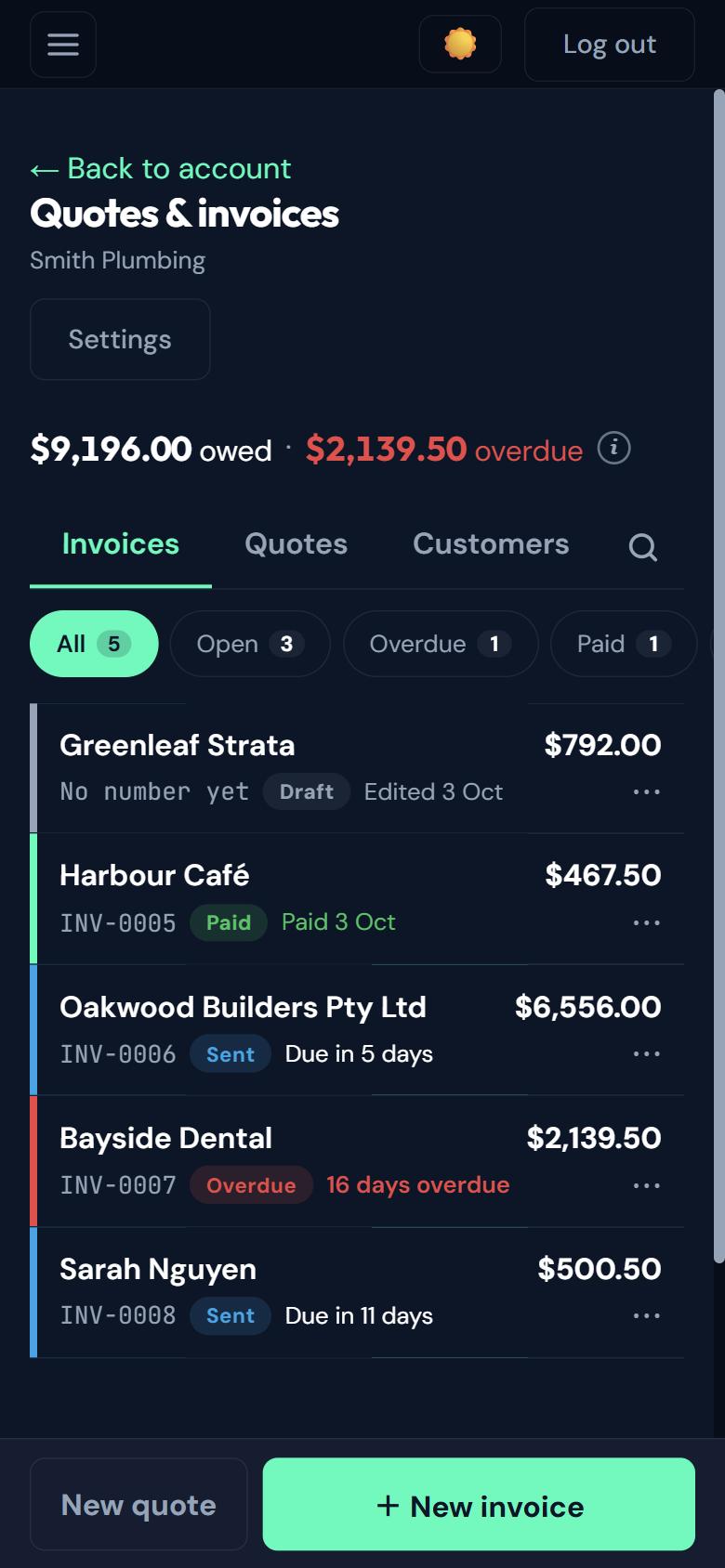
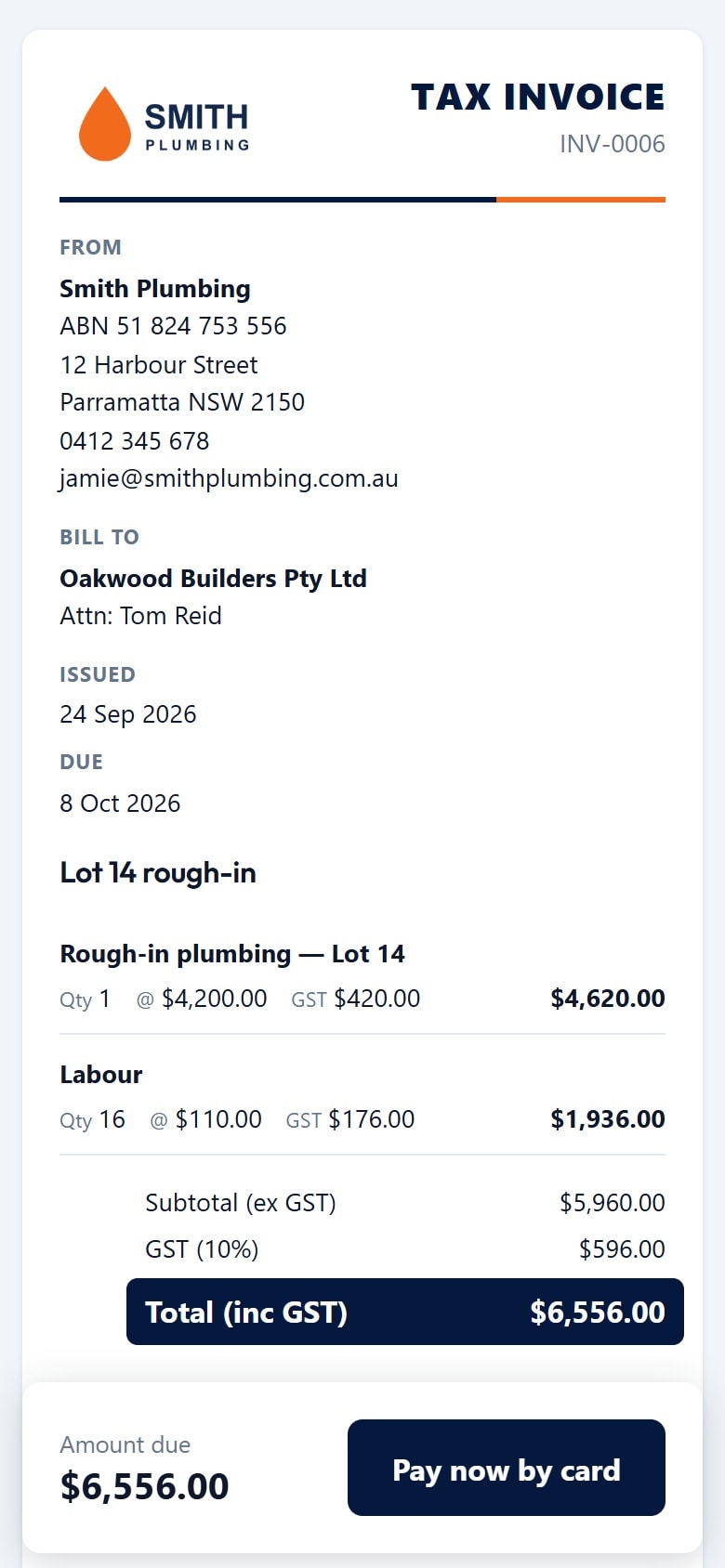
Quotes and invoices list for Smith Plumbing showing amounts owed and overdue, with each invoice’s statusCustomer-facing tax invoice from Smith Plumbing to Oakwood Builders with line items and GST

Who owes you, at a glance.

Powered by Stripe

Get paid faster with Stripe

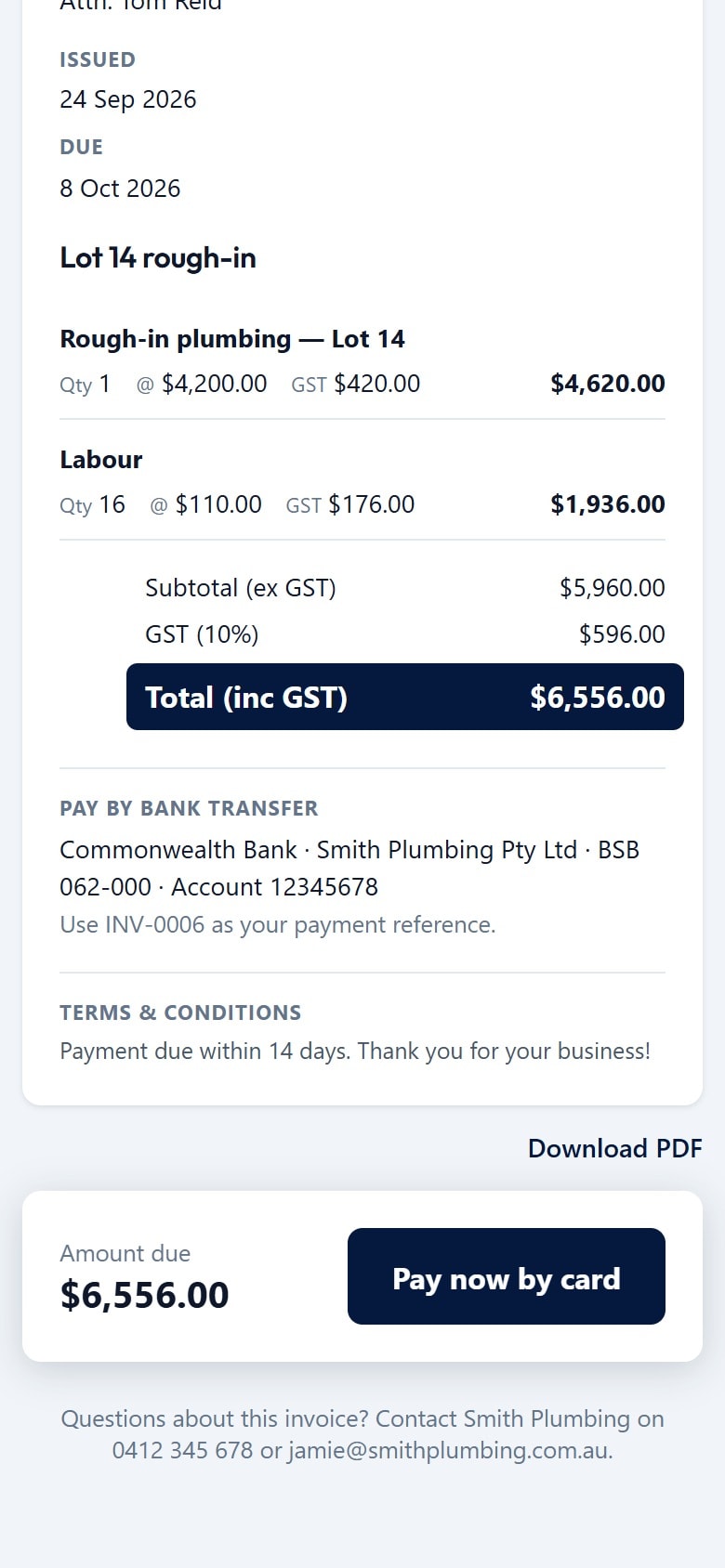
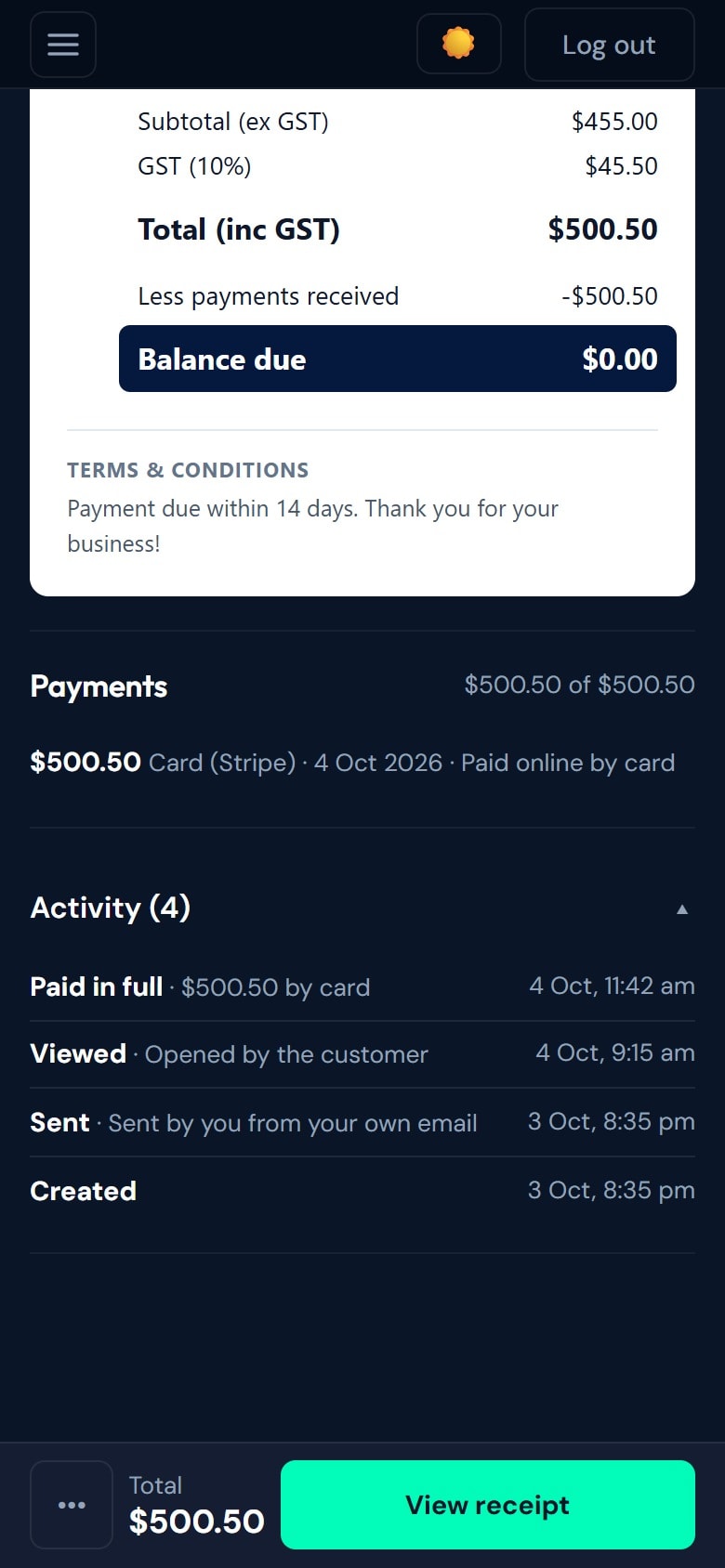
Every invoice has a Pay now button. Your customer taps it and pays by card in seconds through Stripe’s secure checkout. The money goes straight into your own Stripe account, never through us, and the invoice is marked paid automatically.
  • Card payments through Stripe Checkout
  • Paid straight to your own Stripe account
  • Invoice marks itself paid, no chasing or reconciling
  • Set up Stripe inside the app in a few minutes
  • Bank transfer? Mark it paid in two taps
Bottom of a customer invoice showing bank transfer details, the amount due and a Pay now by card buttonInvoice payments showing a card payment through Stripe and an activity log of created, sent, viewed and paid

How it works

Three steps.

  1. 01

    Create the quote or invoice

    With a live preview of the real document.

  2. 02

    Send it

    By email, by text or from your own email app.

  3. 03

    Your customer accepts or pays

    They accept the quote or pay the invoice online.

In detail

What you get.

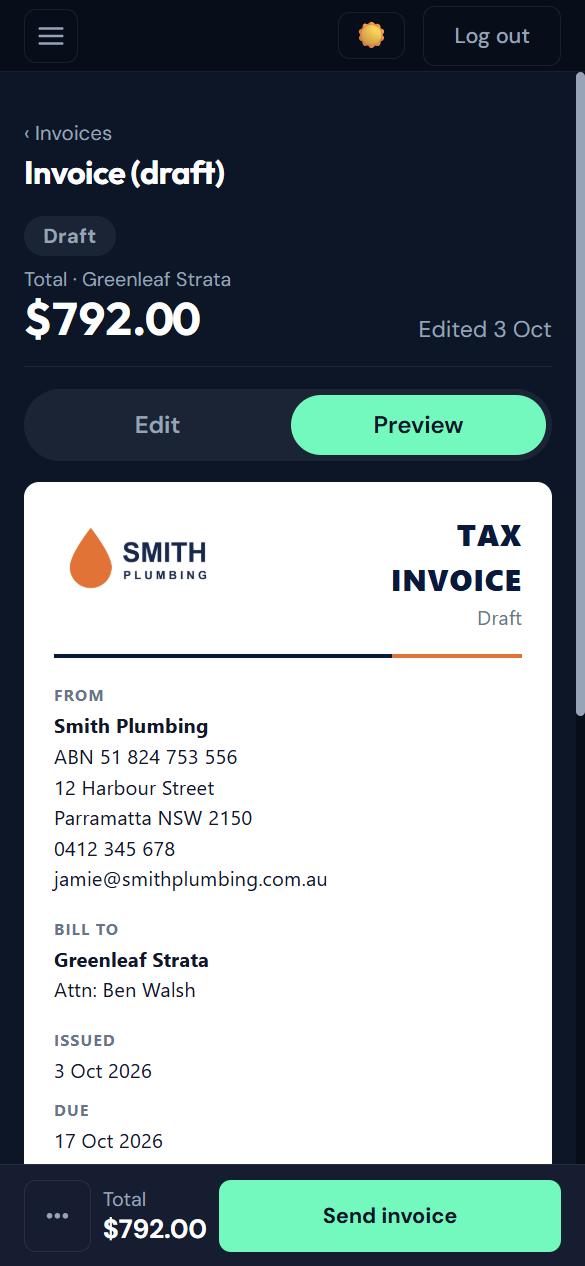
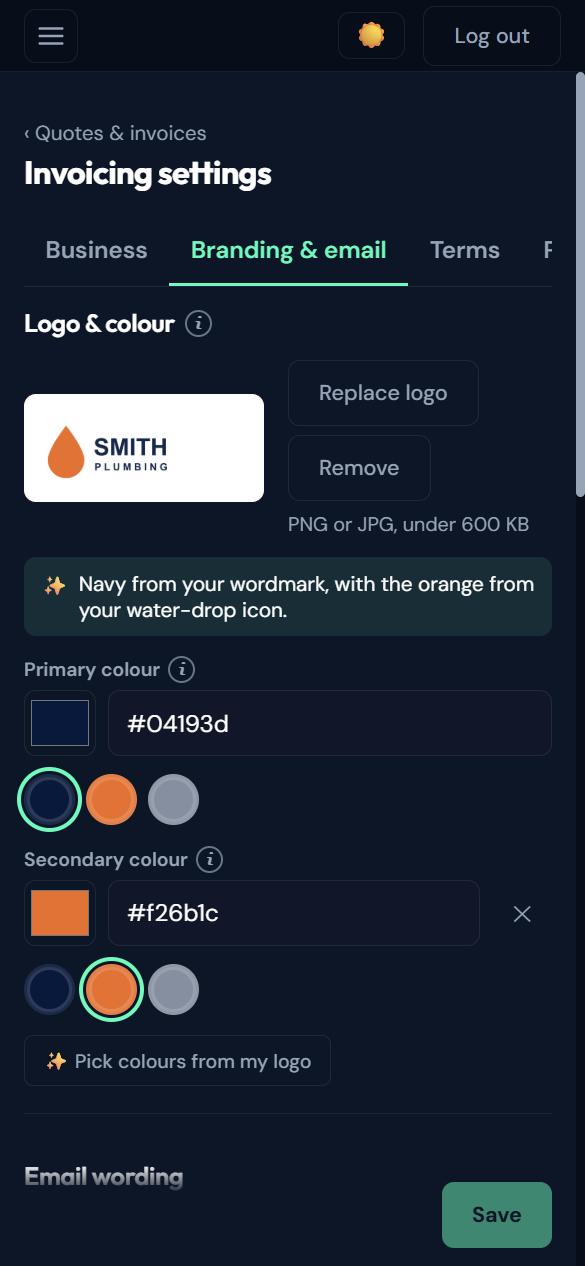
Draft invoice in preview mode showing exactly what the customer will receiveBranding settings where the invoice colours are picked from the business’s uploaded logo

A live preview, in your colours

See the real document as you build it. Upload your logo once and your invoice colours are picked from it.
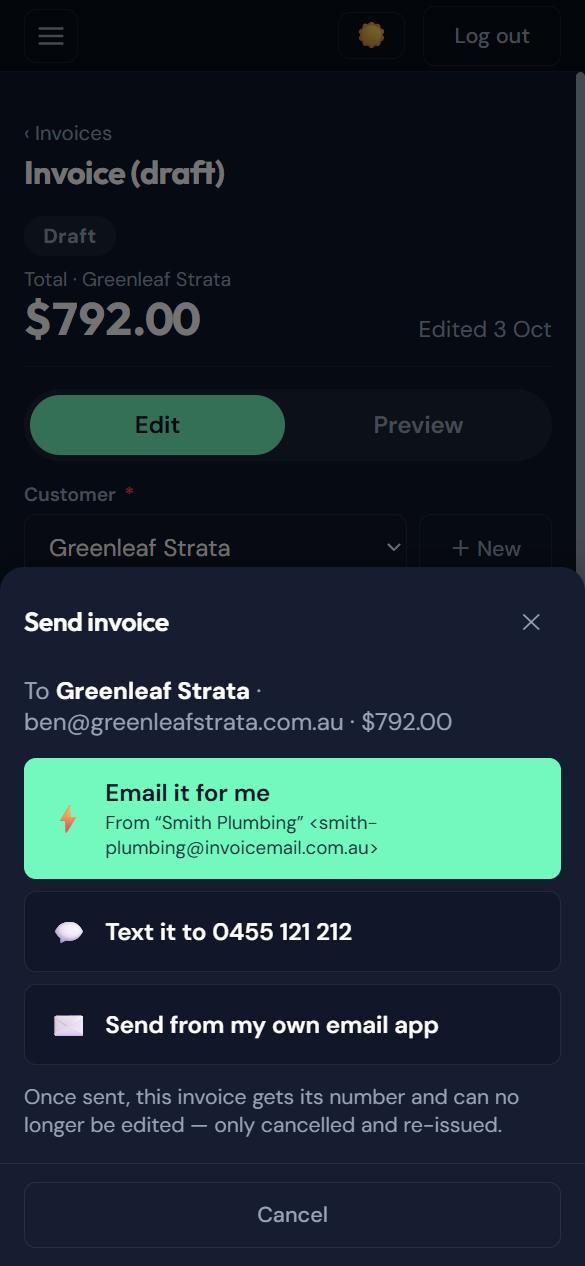
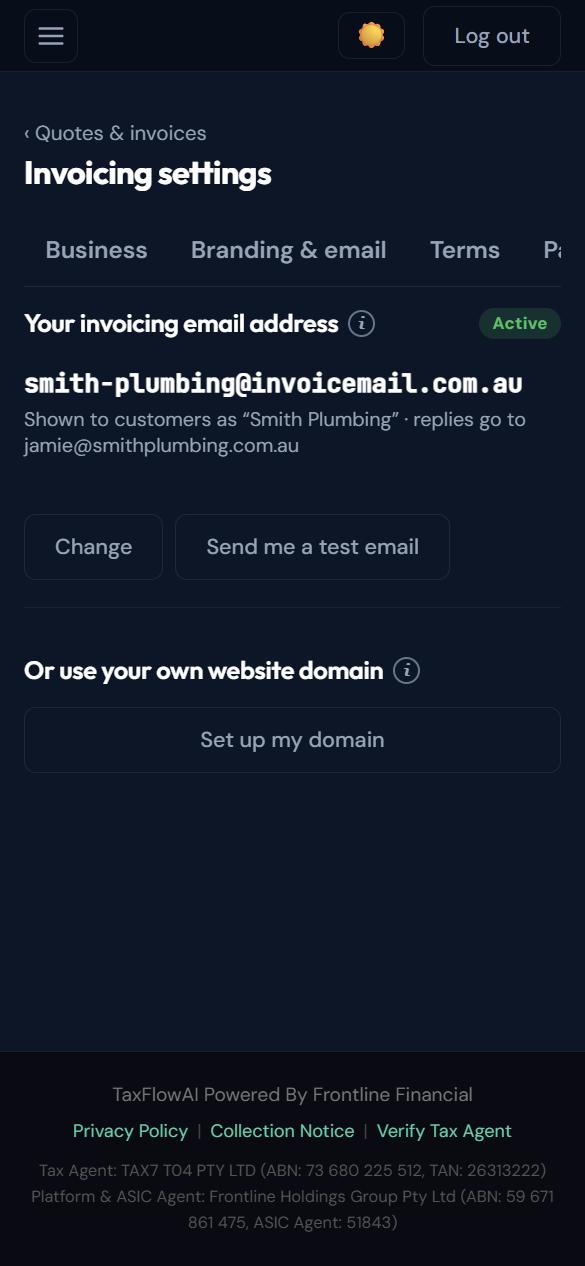
Send invoice sheet with Email it for me from the business’s own invoicing address, Text it, or send from your own email appInvoicing settings showing the business’s own invoicing email address and that customer replies go to the owner

Sent from your own business address

Pick an invoicing address once, like smith-plumbing@invoicemail.com.au. Emails go out under your business name and replies come straight to your own email. Prefer your own domain? Set that up instead, or text the link from your own phone.
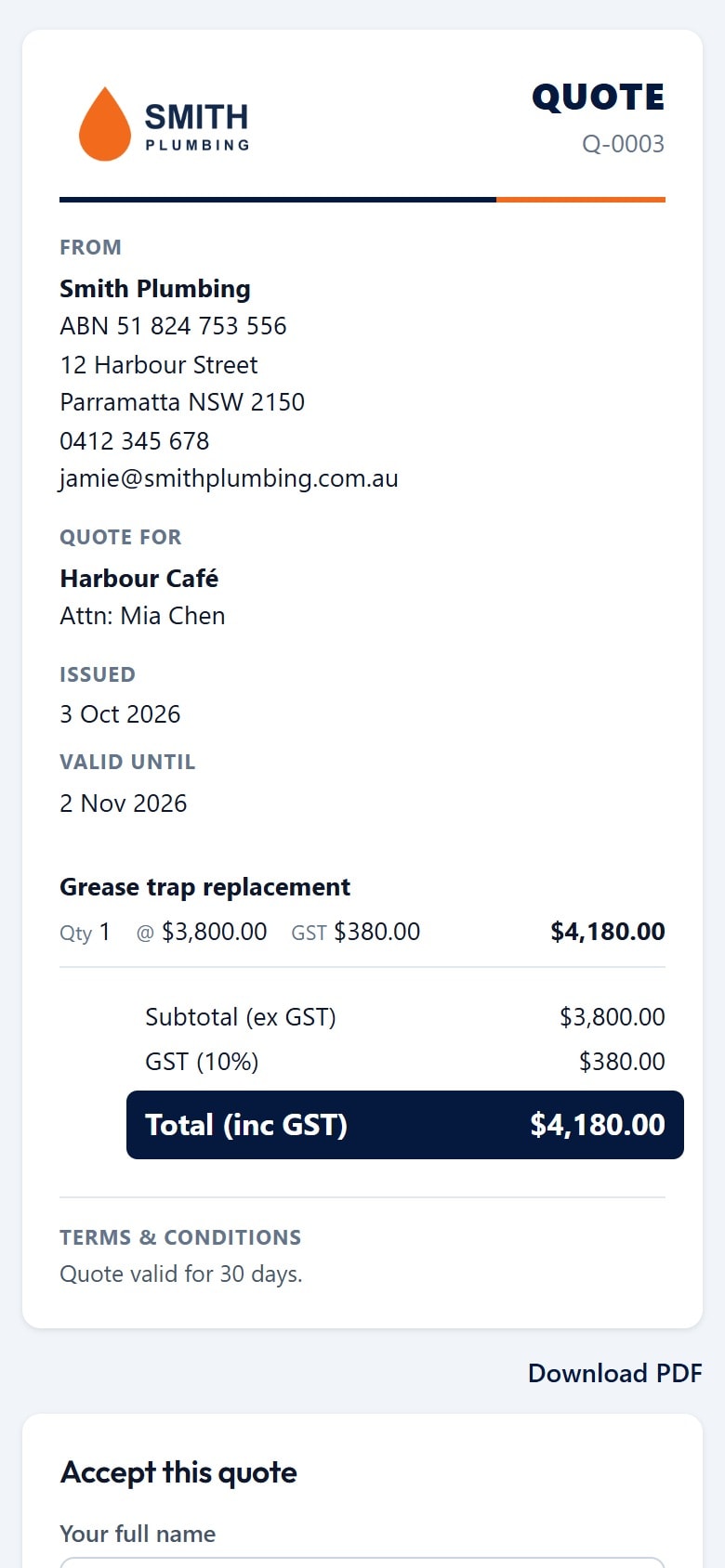
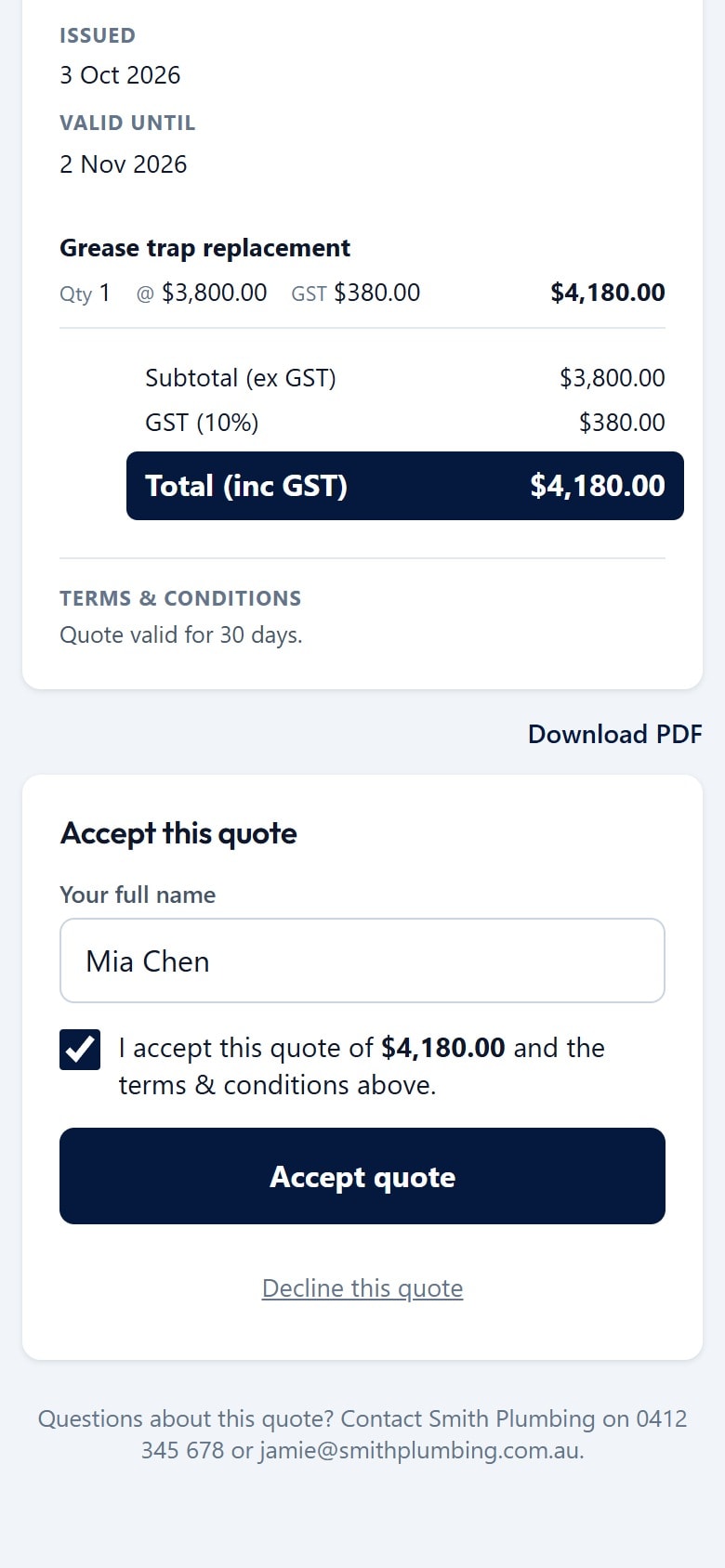
Customer-facing quote from Smith Plumbing to Harbour CaféBottom of a quote with the total, terms and an accept form with the customer’s name entered and the box ticked

Quotes they can accept online

Your customer opens the quote, types their name, ticks the box and taps Accept. No printing, no scanning.
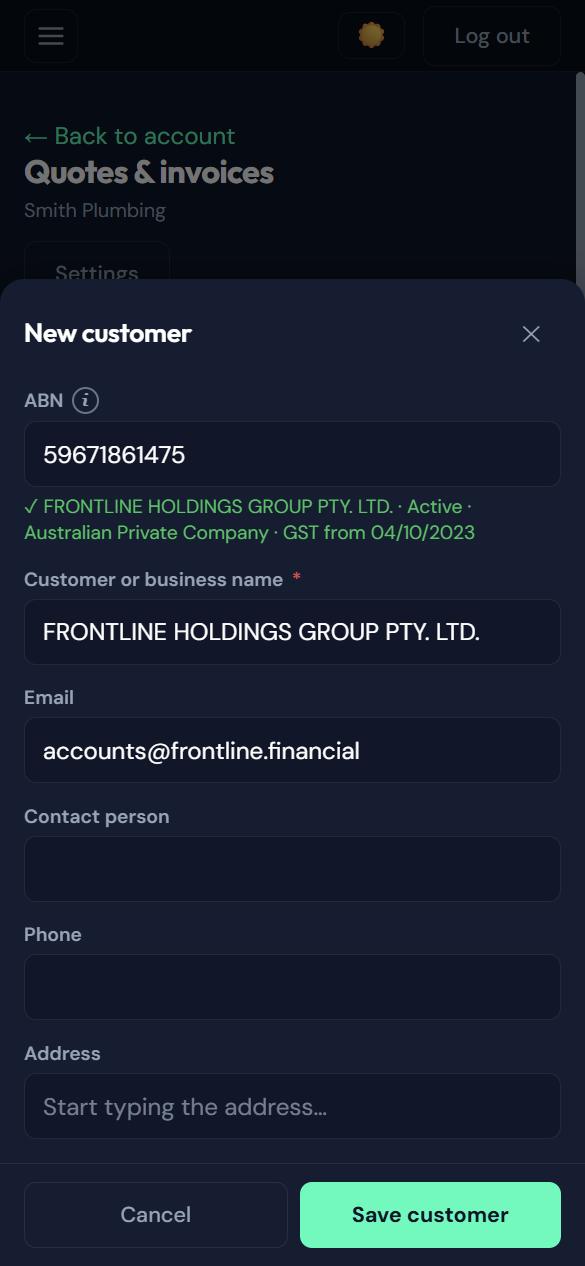
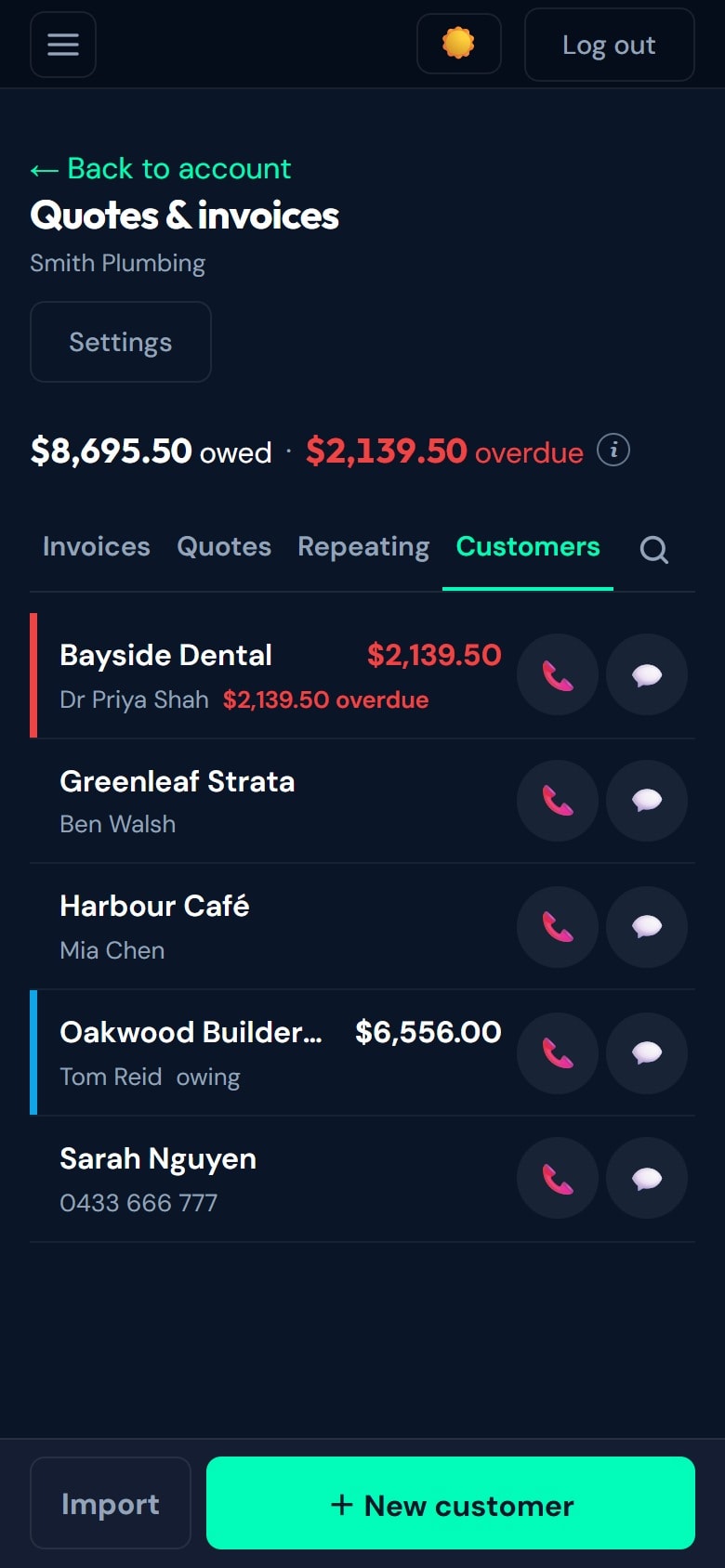
New customer form with an ABN looked up on the Australian Business Register and the details filled inCustomer list showing who owes money and how much is overdue, with call and text buttons for each customer

Customers in seconds

Look a business up by ABN or name on the Australian Business Register and its details fill in for you. Your customer list shows who owes you and what’s overdue, with call and text buttons.
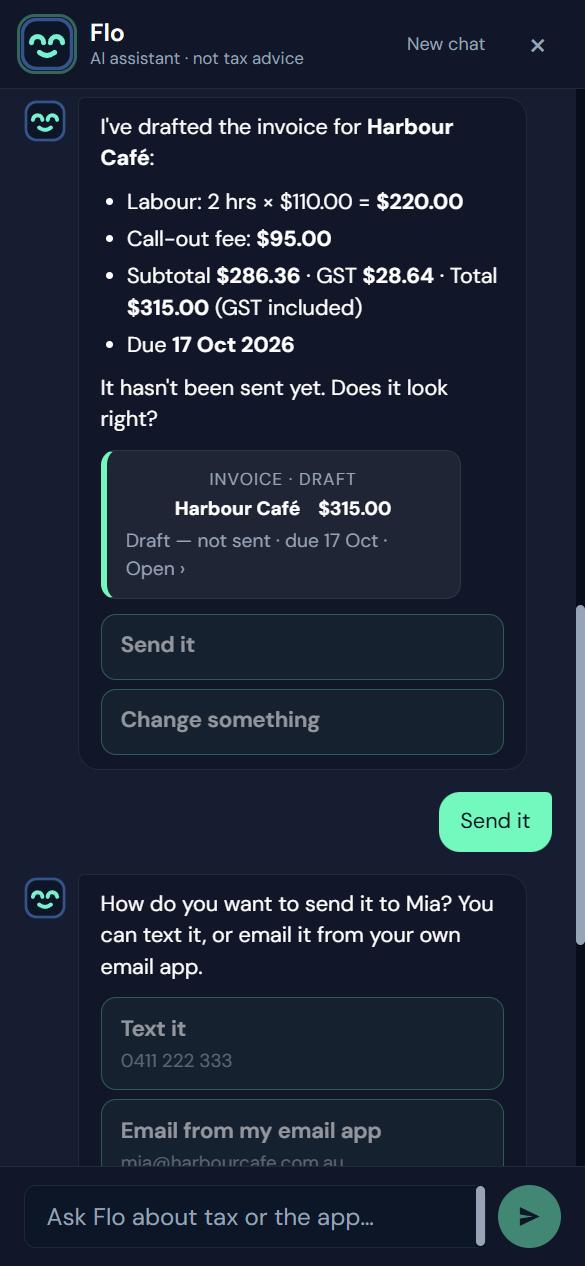
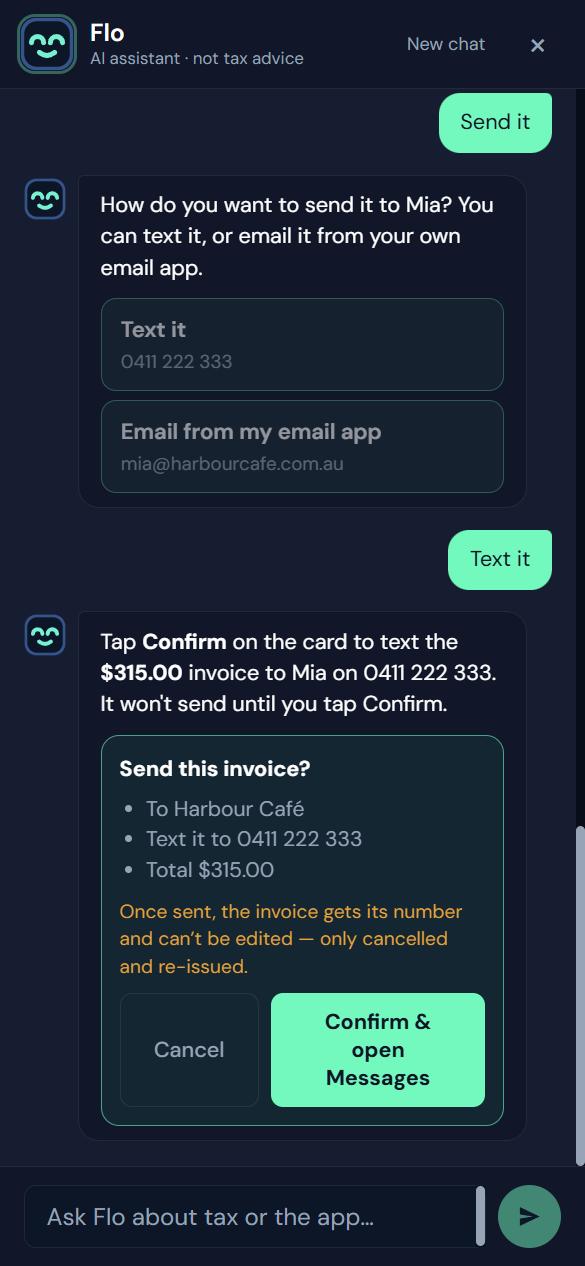
Flo chat showing a drafted invoice for Harbour Café with line items, GST and total, waiting for approvalFlo asking the owner to tap Confirm before texting the invoice to the customer

Or ask Flo to draft it

Type “Invoice Harbour Café for 2 hours’ labour and a call-out”. Flo finds the customer, builds the invoice and shows you a summary. Nothing is sent until you tap Confirm.
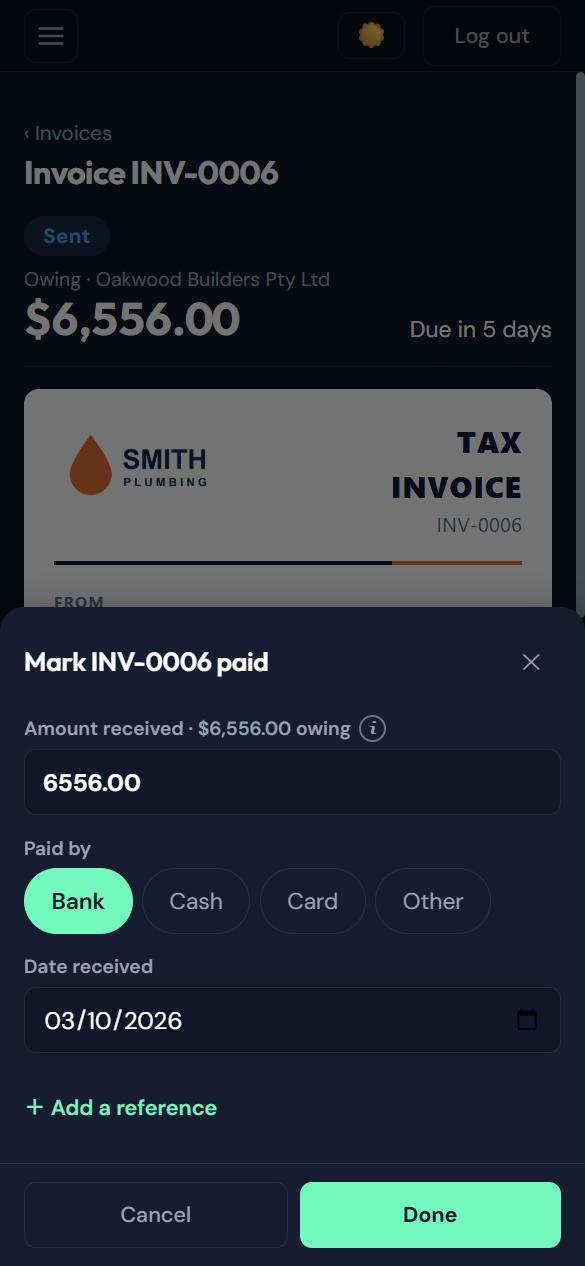
Mark invoice paid sheet with the amount received, payment method and date

Paid by bank transfer? Two taps

Record the amount, how it was paid and the date, and watch what you’re owed shrink.

Also included

  • GST worked out automatically. The title becomes “TAX INVOICE” when you’re GST-registered
  • Saved products and services
  • Invoices numbered when sent, so there are no gaps
  • Statuses at a glance: Draft, Sent, Viewed, Paid, Overdue
  • Protection against invoice fraud: bank-detail changes are flagged to your customers

Questions

Good to know.

Do I need a Stripe account?
You set one up inside the app in a few minutes. Your money is paid to it directly.
Can customers pay by bank transfer?
Yes. Your bank details print on the invoice, and you mark it paid in two taps.
Which email address do invoices come from?
Your own invoicing address, for example yourbusiness@invoicemail.com.au, under your business name. Replies go to your own email. You can change it a few times a month, or use your own domain.
Will my invoices land in spam?
Emails are signed and authenticated to help them reach the inbox.
Can Flo send an invoice without me?
No. Nothing is sent or charged until you tap Confirm.
Is it a valid tax invoice?
Yes, with your ABN, and GST when you’re registered.
How do I get access?
Your accountant switches invoicing on for your business.

Your tax and your business, under control.

Always know what's happening. Stay organised. Reach your accountant. Start today — free to get started.

Not ready to sign up? Talk to a human first — free, no obligation.

FREE TO SIGN UP · NO CARD · NO SUBSCRIPTION · YOU APPROVE EVERY QUOTE