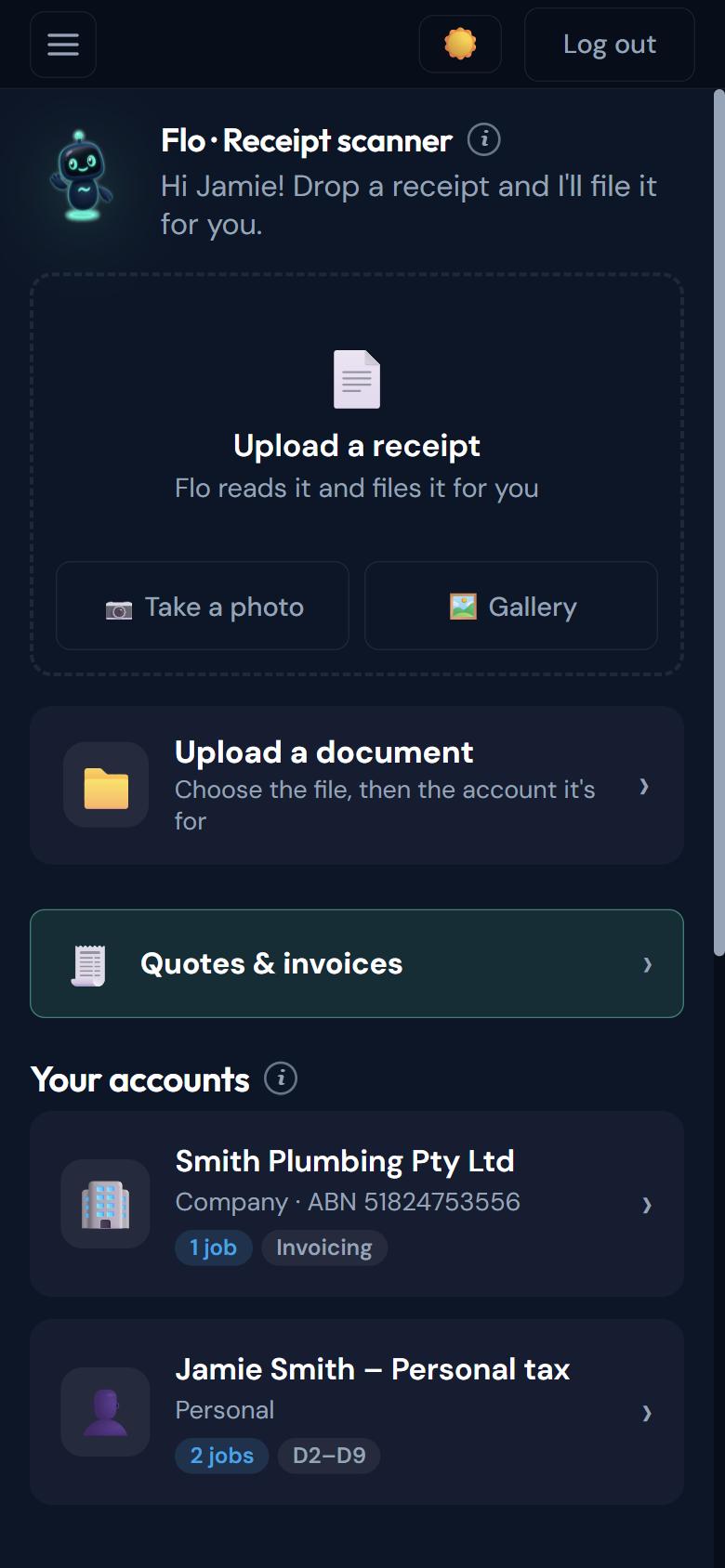
Right on your home screen
The receipt scanner is the first thing you see when you open the app. Drop a receipt in and keep going.
No more shoeboxes or camera rolls. Take a photo and Flo reads the receipt, asks only what it can’t work out, and saves it where your accountant will find it.
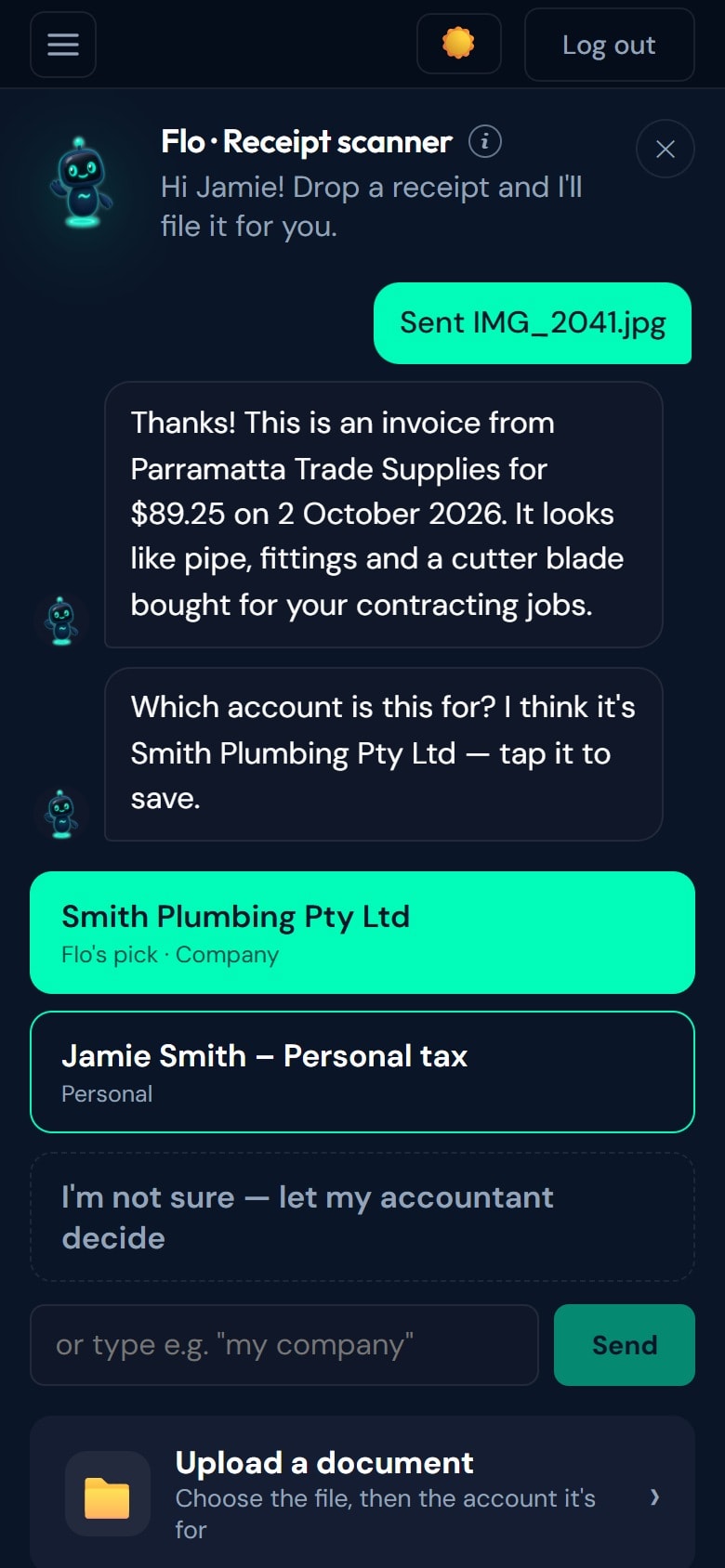
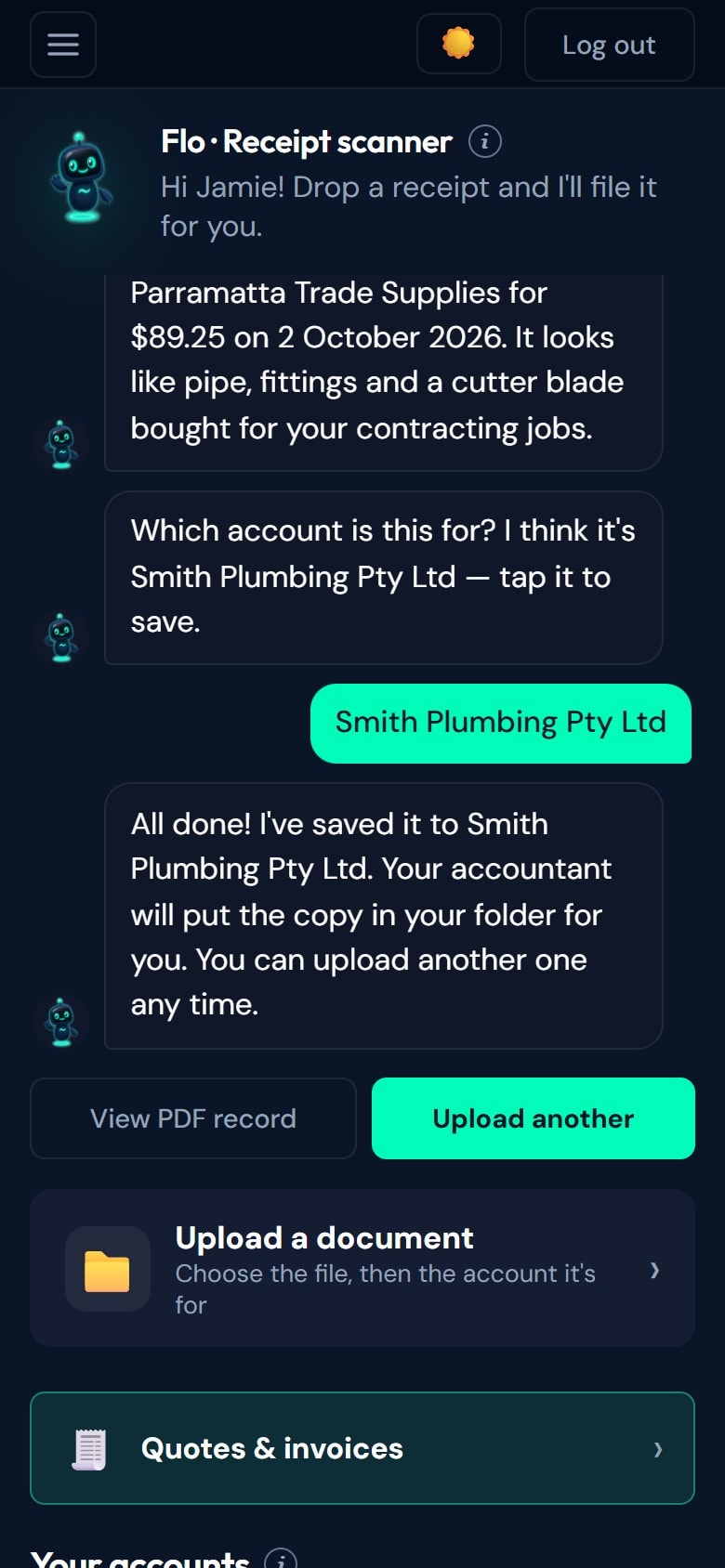
Snap it. I’ll file it.
How it works
Use your camera, your photo library or your files.
Only what it can’t work out, like which account it’s for. It even suggests one.
To the right account, with a PDF record you can view.
In detail
The receipt scanner is the first thing you see when you open the app. Drop a receipt in and keep going.
Camera, photo library or a PDF from your files. If you can send it, Flo can take it.
Built for people who aren’t tech people. Tap an answer and you’re done.
Questions
Always know what's happening. Stay organised. Reach your accountant. Start today — free to get started.
Not ready to sign up? Talk to a human first — free, no obligation.
FREE TO SIGN UP · NO CARD · NO SUBSCRIPTION · YOU APPROVE EVERY QUOTE